Close the shop day
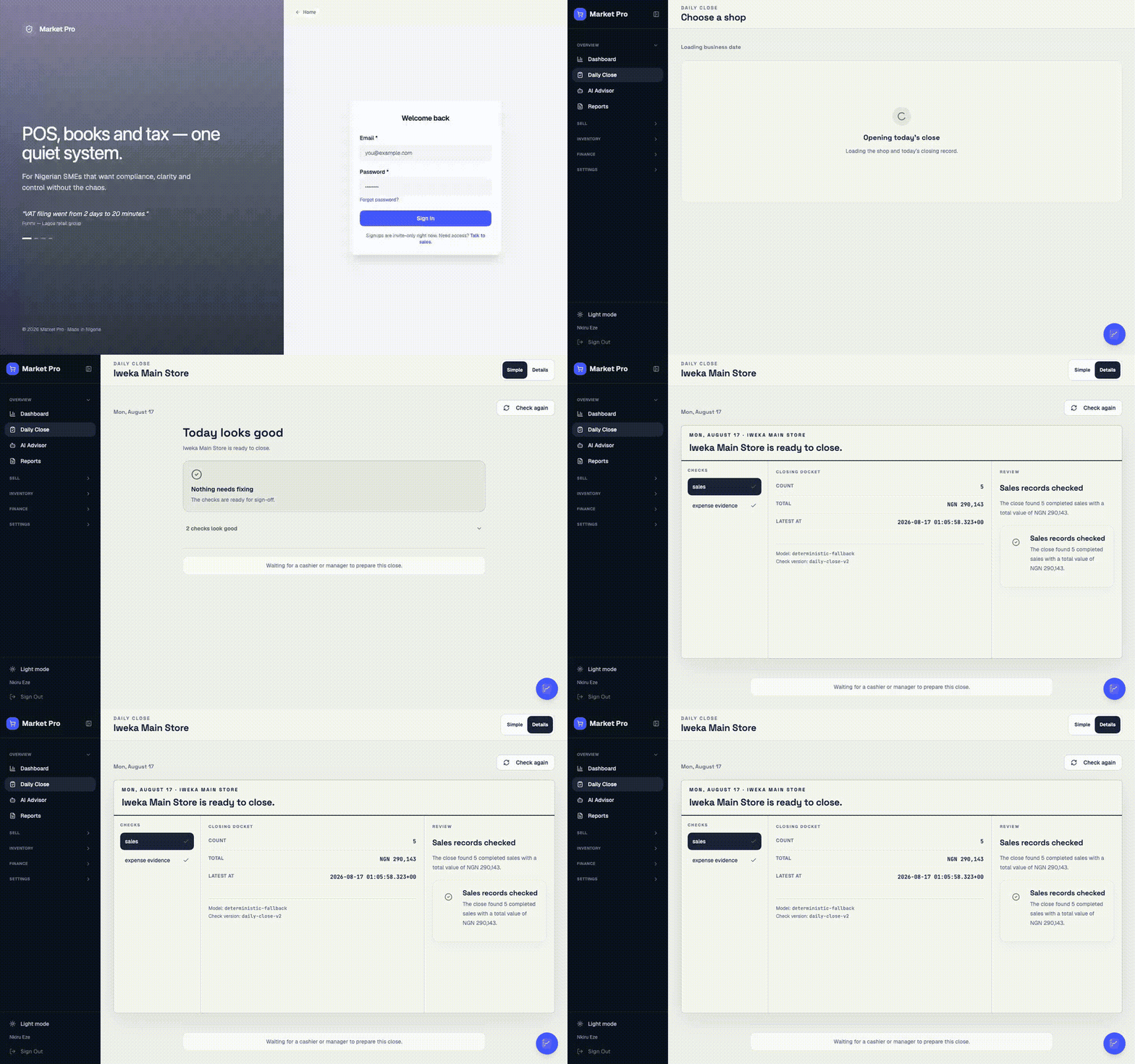
End the shop day for one location. Count cash, check findings, then close. A one-person shop can do this alone with a typed confirmation.
Who uses this
A cashier or manager prepares. An owner, manager, or accountant reviews the books. An owner or manager presses Close today. If you are the only person in the shop, you can prepare, review, and close after you type that you counted and checked the day yourself.
Counting the drawer is not the same as closing the shop. The cash count feeds this run. Close today is the shop-day lock.
What you need first
- A location with sales or an open cash session
- Today's till sales finished, or parked on purpose
Steps
1. Open today’s close
Open Daily Close and pick the shop and date. Wait until checks finish. Use Details for sales, cash, bank, expenses, and stock.
2. Count the drawer
If a finding asks for a cash count, open Count today’s cash. Read expected cash from the session. Type what is in the drawer. This count feeds Daily Close. Saving it does not close the shop.
3. Clear findings
Act only on findings that match real records. Match a bank line if the sale already exists. Do not invent a cash figure to hide a short.
4. Send, review, close
Press Send for review when preparation is done. A different person reviews when a second role exists. Then press Close today once.
If you work alone, type a short confirmation (at least eight characters) that you counted the drawer and checked today’s records. That text is stored on the close. Then you may review and close the same run.
What done looks like
- One run per shop and date.
- After Close today, reload shows the finished run. It does not start another.
- Only the owner can reopen.
Common mistakes
- Do not type a guessed cash count. Use what is in the drawer.
- Do not treat a cash-session save as the shop close.
- Do not start a second close for the same shop and date.