Tax and filings
The tax rule pack for the shop, plus filings built from posted invoices and journals.
Who uses this
The owner, during setup, and when a filing period is due.
What you need first
- Posted sales in the period
Steps
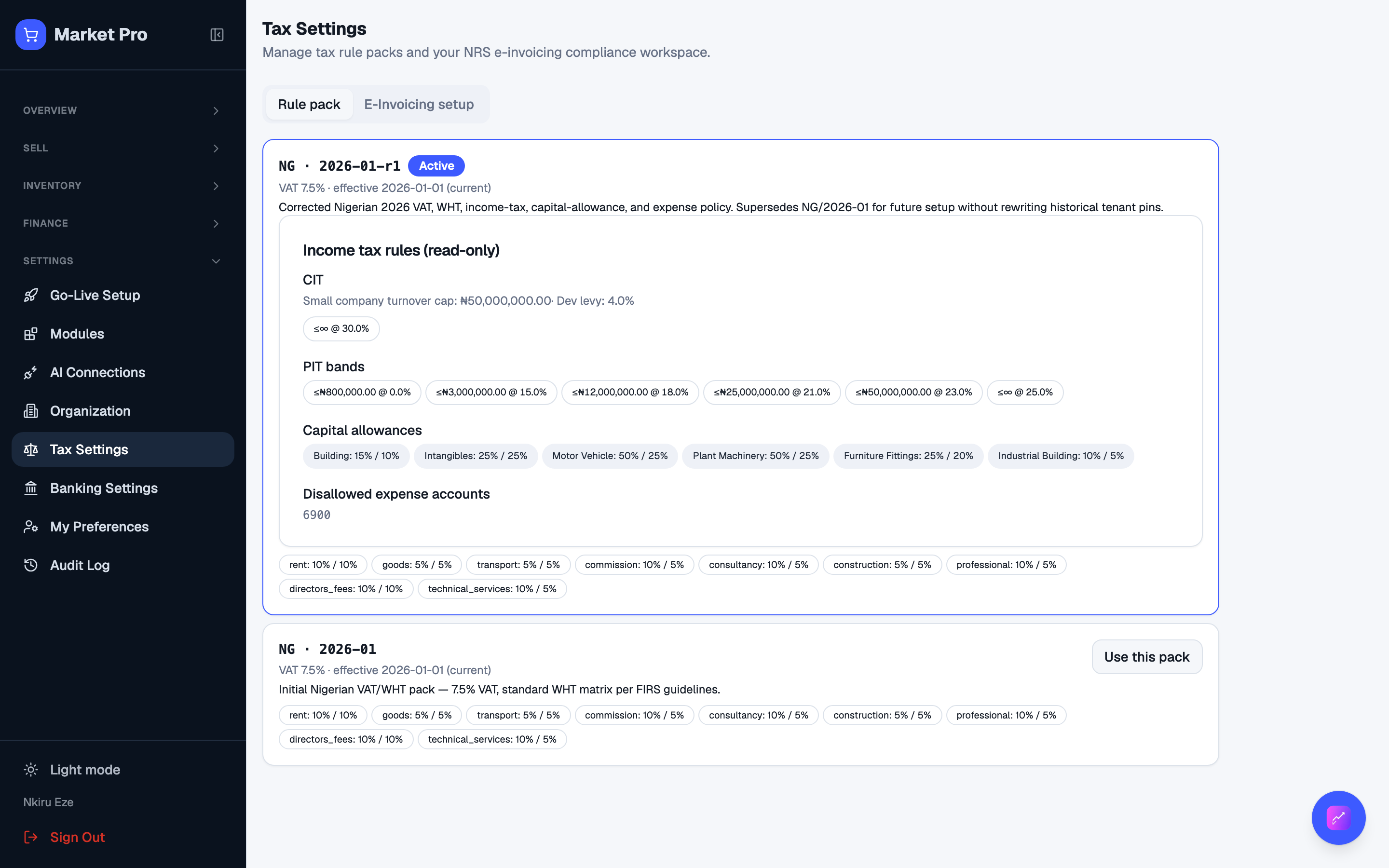
1. Review tax settings
Open Tax settings. Confirm the published Nigerian pack, or your jurisdiction pack, is selected. Then open Tax filings for period runs and Annual tax for the year.
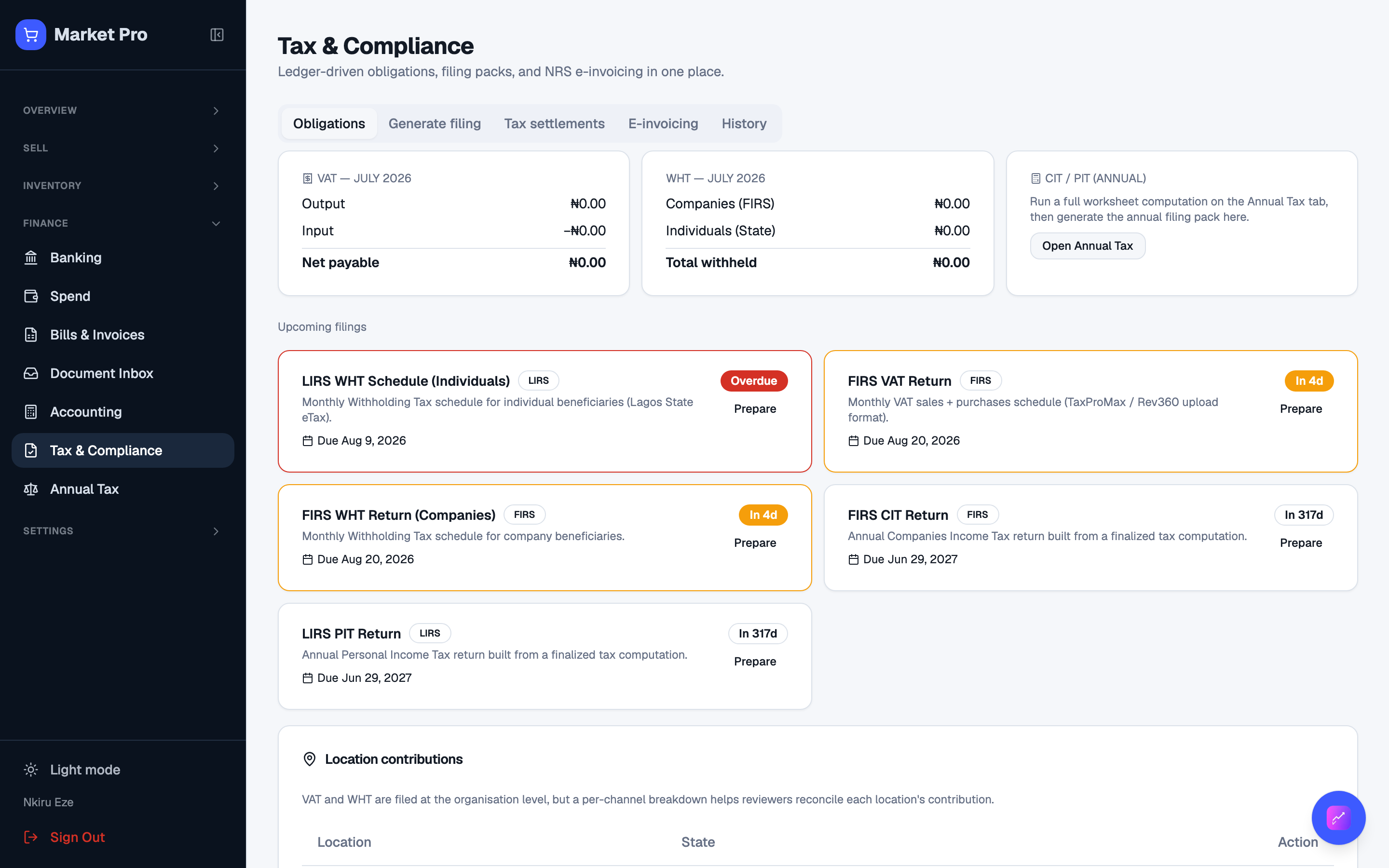
2. Open filings
Filings lists period runs. Do not type a VAT total by hand. Run the filing so it reads posted invoices.
What done looks like
- The published rule pack is selected. Filing totals come from posted records.
Common mistakes
- Do not change the rule pack after a period already has posted tax.